> ## Documentation Index
> Fetch the complete documentation index at: https://docs.launchblitz.ai/llms.txt
> Use this file to discover all available pages before exploring further.
# Getting Started
## Register for an Account
When you register for LaunchBlitz, choose one of two sign-in methods:
* **Discord** — Register using your Discord account.
* **Solana Wallet** — Register by connecting a Solana wallet and signing a verification request.
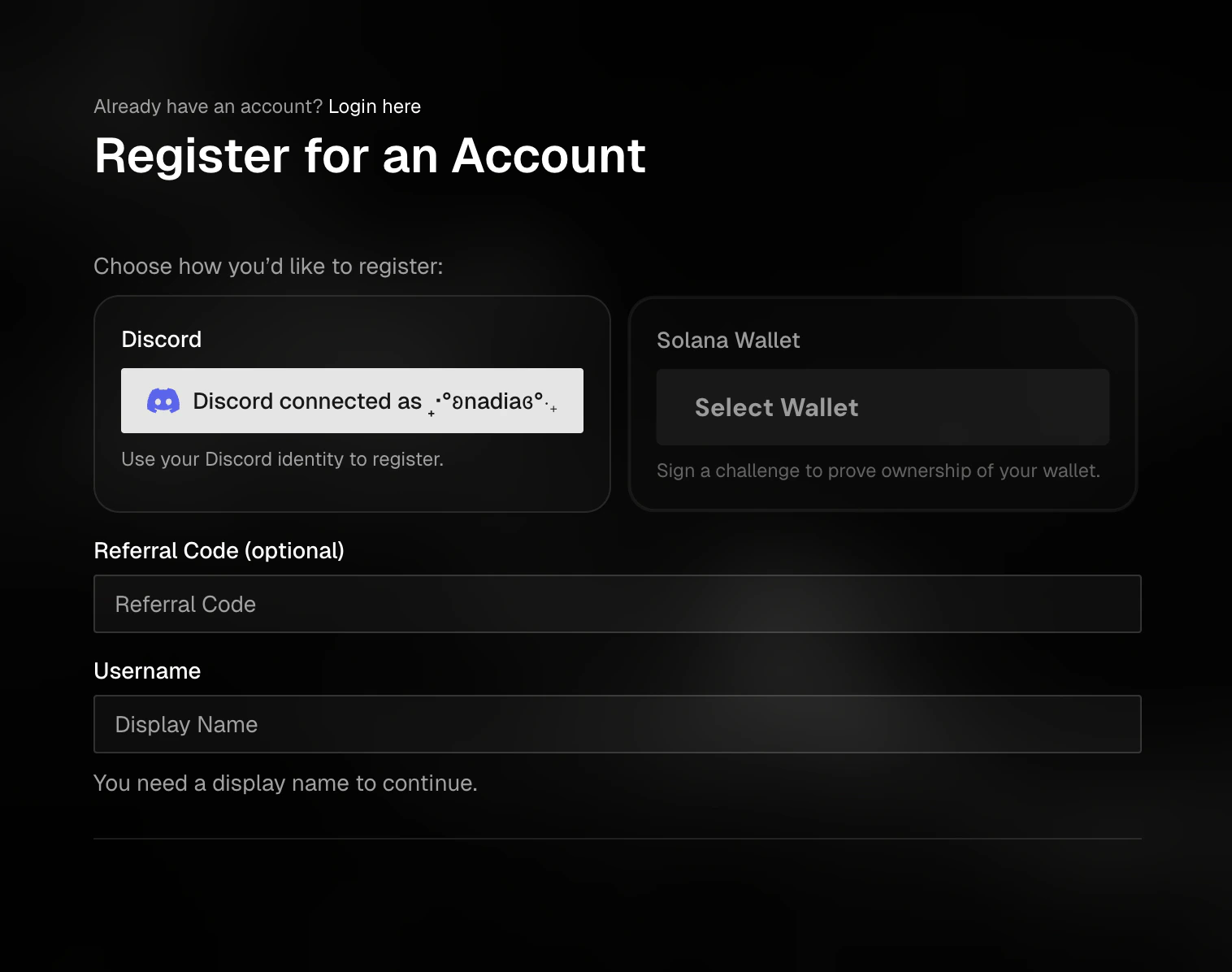 ### Register with Discord
1. Open the registration page
2. Select **Discord**
3. Click **Connect with Discord**
4. Approve the Discord connection when prompted
5. Enter your username
6. Add a referral code, if you have one
7. Complete the verification step
8. Click **Submit with Discord**
After registration is recorded, return to the login page and sign in with Discord.
### Register with a Solana Wallet
1. Open the registration page
2. Select **Solana Wallet**
3. Connect your Solana wallet
4. Enter your username
5. Add a referral code, if you have one
6. Complete the verification step
7. Click **Submit with Wallet**
8. Approve the signature request in your wallet
The wallet signature proves that you own the wallet. It does not launch a token or make a trade.
After your account is created, return to the login page and sign in with the same wallet.
### Register with Discord
1. Open the registration page
2. Select **Discord**
3. Click **Connect with Discord**
4. Approve the Discord connection when prompted
5. Enter your username
6. Add a referral code, if you have one
7. Complete the verification step
8. Click **Submit with Discord**
After registration is recorded, return to the login page and sign in with Discord.
### Register with a Solana Wallet
1. Open the registration page
2. Select **Solana Wallet**
3. Connect your Solana wallet
4. Enter your username
5. Add a referral code, if you have one
6. Complete the verification step
7. Click **Submit with Wallet**
8. Approve the signature request in your wallet
The wallet signature proves that you own the wallet. It does not launch a token or make a trade.
After your account is created, return to the login page and sign in with the same wallet.