> ## Documentation Index
> Fetch the complete documentation index at: https://docs.launchblitz.ai/llms.txt
> Use this file to discover all available pages before exploring further.
# Graph basics
> Understand how Scrapist graphs execute and what activation means.
This page explains how Scrapist graphs work at a conceptual level, and what it means to “activate” one.
 ## How a graph works
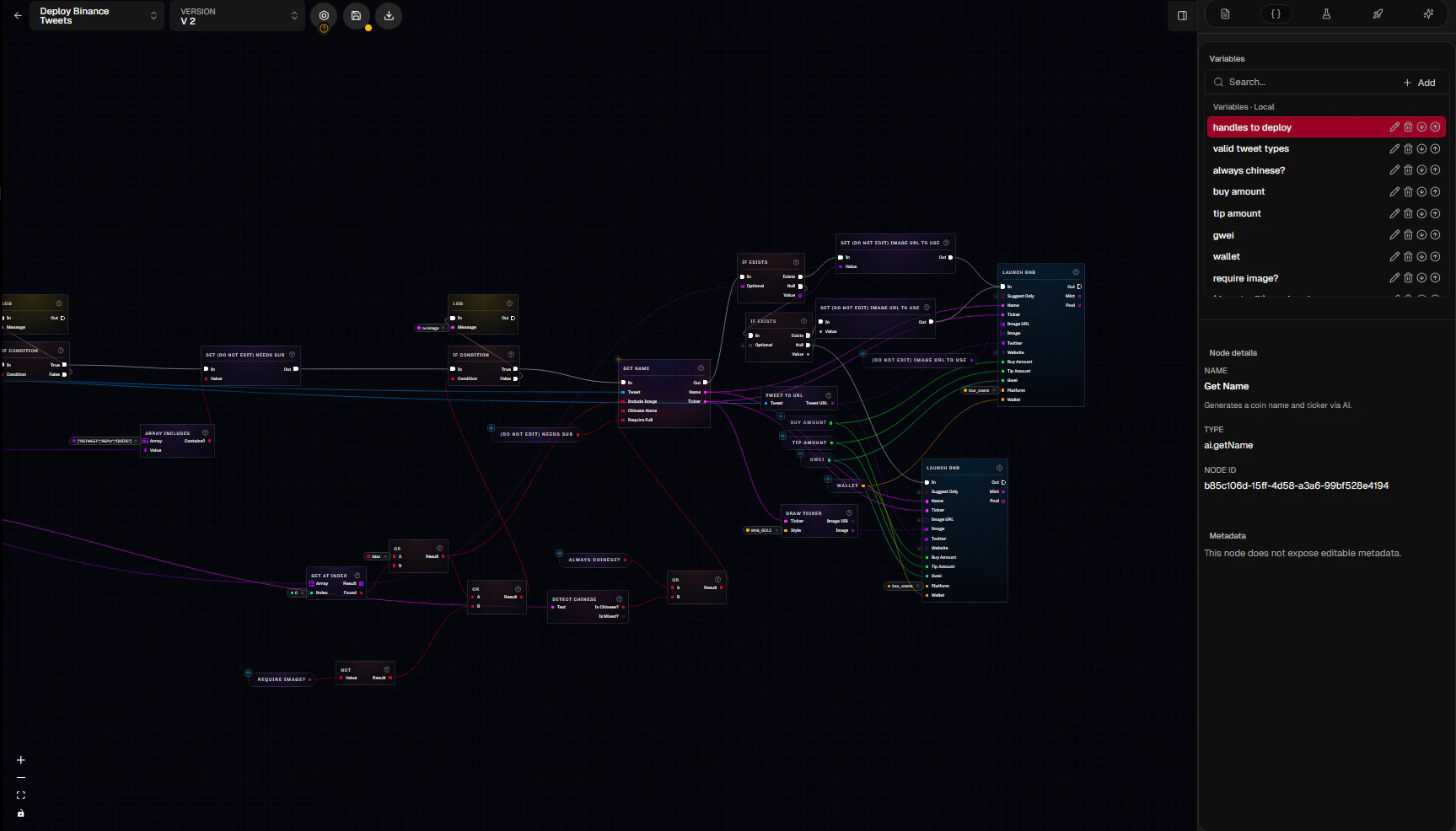
A Scrapist automation is a directed graph made of:
* **Nodes** (blocks that do work)
* **Edges** (wires) connecting **ports** on nodes
* **Variables** (named values you can configure and/or mutate during execution)
At runtime, Scrapist evaluates your graph for an incoming event (most commonly a **tweet**):
1. A tweet enters the system as an `event.tweet` payload.
2. Execution flows through **exec ports** (control flow).
3. Nodes pull values through **data ports** (data flow) and produce outputs.
4. Action nodes can emit **effects** (e.g., a `coin_launch` effect) which the backend dispatches to the launch/transactions system.
### Exec vs data flow (the two kinds of wires)
* **Exec wires** answer: “What runs next?”
* Example: `event.tweet.exec-out → logic.if.exec-in`
* **Data wires** answer: “What value is used?”
* Example: `data.tweet.break.body-text → string.contains.search`
Some nodes are “exec-free” (no exec ports). These are treated like pure functions and may be evaluated on-demand when another node needs their output.
## Graph logic: nodes, AI, and “scripting”
Scrapist is “visual scripting”: instead of writing code, you connect nodes into a workflow. Common node families:
* **Events**: start the flow (`event.tweet`)
* **Tweet/data extraction**: break tweets into fields (`data.tweet.break`, `data.tweet.breakFull`)
* **Logic**: branch based on conditions (`logic.if`, `logic.switch`, `logic.compare`)
* **Math/string utilities**: transform values before action
* **AI**: generate structured output from a tweet (`ai.getName`, `ai.prompt`)
* **Actions**: launch, delay, notify (`action.launchSolana`, `action.launchBnb`, `action.delay`, `action.notify`)
* **Debug**: enable persisted tracing or log messages (`debug.enableTracing`, `debug.log`)
Many nodes have **metadata/config** in the sidebar that changes behavior (and sometimes changes available ports). For example, `logic.switch` creates exec outputs based on its configured cases, and `ai.prompt` can dynamically add data output ports for fields you want the model to return.
## Graph instances (activation/deactivation)
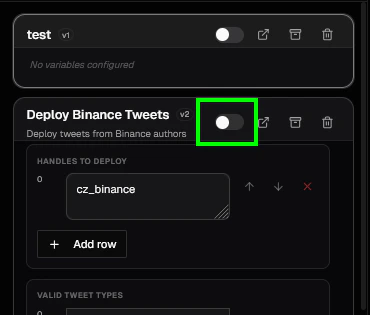
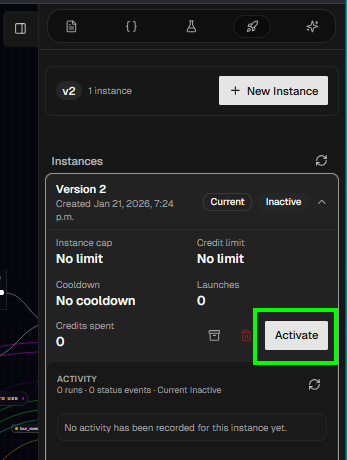
Saving a graph does not make it “run”. A graph runs when you create an **Instance** (a backend *deployment*) for a specific graph version and set it to **Active**.
Instances are where you configure *runtime limits* like:
* **Deploy cap** (max launches)
* **Cooldown** (minimum time between launches)
* **Credit spend limit** (if enabled in your environment)
Activation rules to know:
* Activating an instance makes that **version** live in the tweet pipeline.
* A version with an active instance is treated as **deployed** and is locked from editing in the graph editor until you deactivate/undeploy it.
## How a graph works
A Scrapist automation is a directed graph made of:
* **Nodes** (blocks that do work)
* **Edges** (wires) connecting **ports** on nodes
* **Variables** (named values you can configure and/or mutate during execution)
At runtime, Scrapist evaluates your graph for an incoming event (most commonly a **tweet**):
1. A tweet enters the system as an `event.tweet` payload.
2. Execution flows through **exec ports** (control flow).
3. Nodes pull values through **data ports** (data flow) and produce outputs.
4. Action nodes can emit **effects** (e.g., a `coin_launch` effect) which the backend dispatches to the launch/transactions system.
### Exec vs data flow (the two kinds of wires)
* **Exec wires** answer: “What runs next?”
* Example: `event.tweet.exec-out → logic.if.exec-in`
* **Data wires** answer: “What value is used?”
* Example: `data.tweet.break.body-text → string.contains.search`
Some nodes are “exec-free” (no exec ports). These are treated like pure functions and may be evaluated on-demand when another node needs their output.
## Graph logic: nodes, AI, and “scripting”
Scrapist is “visual scripting”: instead of writing code, you connect nodes into a workflow. Common node families:
* **Events**: start the flow (`event.tweet`)
* **Tweet/data extraction**: break tweets into fields (`data.tweet.break`, `data.tweet.breakFull`)
* **Logic**: branch based on conditions (`logic.if`, `logic.switch`, `logic.compare`)
* **Math/string utilities**: transform values before action
* **AI**: generate structured output from a tweet (`ai.getName`, `ai.prompt`)
* **Actions**: launch, delay, notify (`action.launchSolana`, `action.launchBnb`, `action.delay`, `action.notify`)
* **Debug**: enable persisted tracing or log messages (`debug.enableTracing`, `debug.log`)
Many nodes have **metadata/config** in the sidebar that changes behavior (and sometimes changes available ports). For example, `logic.switch` creates exec outputs based on its configured cases, and `ai.prompt` can dynamically add data output ports for fields you want the model to return.
## Graph instances (activation/deactivation)
Saving a graph does not make it “run”. A graph runs when you create an **Instance** (a backend *deployment*) for a specific graph version and set it to **Active**.
Instances are where you configure *runtime limits* like:
* **Deploy cap** (max launches)
* **Cooldown** (minimum time between launches)
* **Credit spend limit** (if enabled in your environment)
Activation rules to know:
* Activating an instance makes that **version** live in the tweet pipeline.
* A version with an active instance is treated as **deployed** and is locked from editing in the graph editor until you deactivate/undeploy it.