Create A Blank Graph
1
Open Create
Open Scrapist, then choose Create.
2
Select Blank graph
Choose More templates > Blank graph.
3
Name the graph
Use a name that identifies the source and outcome. Add a short description of what the graph should and should not do.
4
Create the graph
Create it, then open it from Manage. Blank graphs are not activated automatically.
Build On The Canvas
- Right-click empty canvas space to open the node palette.
- Drag from a port to connect compatible nodes.
- Drag a connection into empty space to open a filtered list of compatible next nodes.
- Attach a fixed value directly to many data inputs when a separate Literal Value node would add noise.
- Select a node to edit its settings in Build.
- Use Backspace or Delete to remove selected nodes or connections.
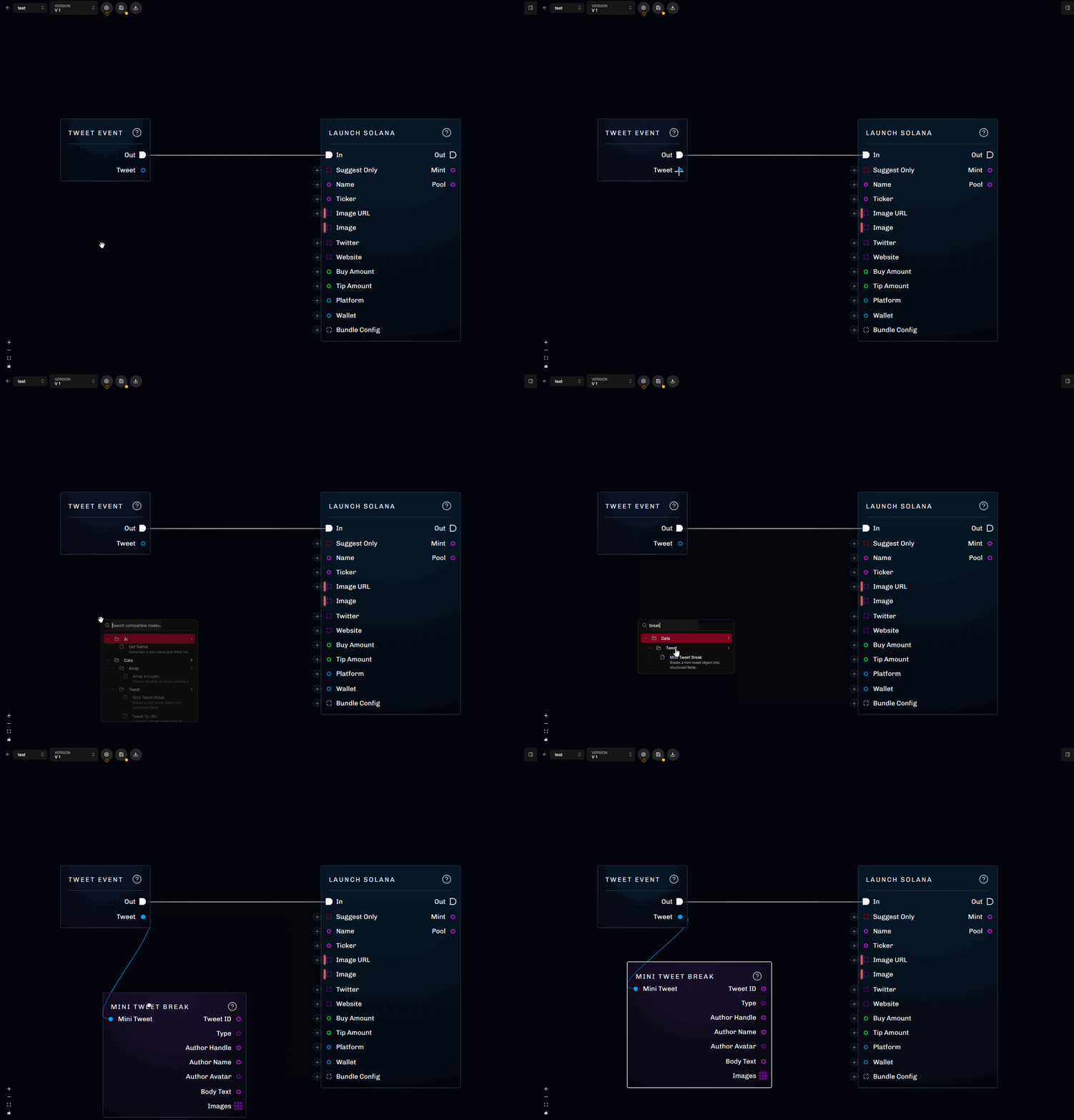
Dragging a connection into empty space filters the palette to compatible nodes.
Add The Main Event
Start with the event that should wake the graph. Then add a matching break node to access fields such as author, text, images, post type, profile values, or followed account. Use logic before effects. For example:- Break a tweet into author and body text.
- Compare the normalized author with the intended account.
- Extract valid Solana public keys from the text.
- Check that at least one key exists.
- Select the first key.
- Continue to launch preparation only on the matching branch.
Add Variables
Open Build > Variables to add settings that should not be buried in node literals. Each variable has:- A name and optional nested folder.
- A value type and structure.
- A default value.
- Optional null support.
- An Instance exposed setting.
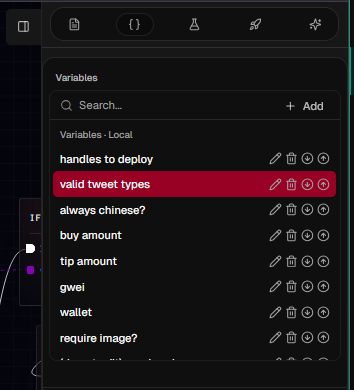
Variables can be grouped into folders and inserted as read or write nodes.
Add Functions
When one part of the graph needs more than a few nodes, give it a name and boundary:- Use pure functions for validation, selection, formatting, and calculations.
- Use impure functions for launches, trades, trace notifications, waits, and coordination.
- Keep automation-specific helpers local.
- Put broadly reusable helpers in Account Functions.
Configure Nodes
Some nodes change their available inputs based on selections in the sidebar. Important examples include:- Launch changes wallet, gas, and launchpad-specific inputs when you select Solana, BNB, or Base.
- Buy changes inputs for Solana and BNB.
- Compare, Cast, and array tools infer or expose compatible value types.
- Switch adds an execution output for each configured case.
- AI Prompt adds named outputs for the fields you request.
Save, Compile, And Test
1
Save
Save the canvas, variables, and function calls to the selected version.
2
Compile
Use Compile to validate the saved structure. Correct any highlighted node or connection.
3
Create tests
Open Test Results and add successful, rejected, missing-data, and boundary cases.
4
Run all tests
Check both runtime success and expected side effects. Expand a failure to inspect its execution trace.
5
Repeat after changes
Save and compile again whenever the graph changes, then rerun the affected function and graph tests.