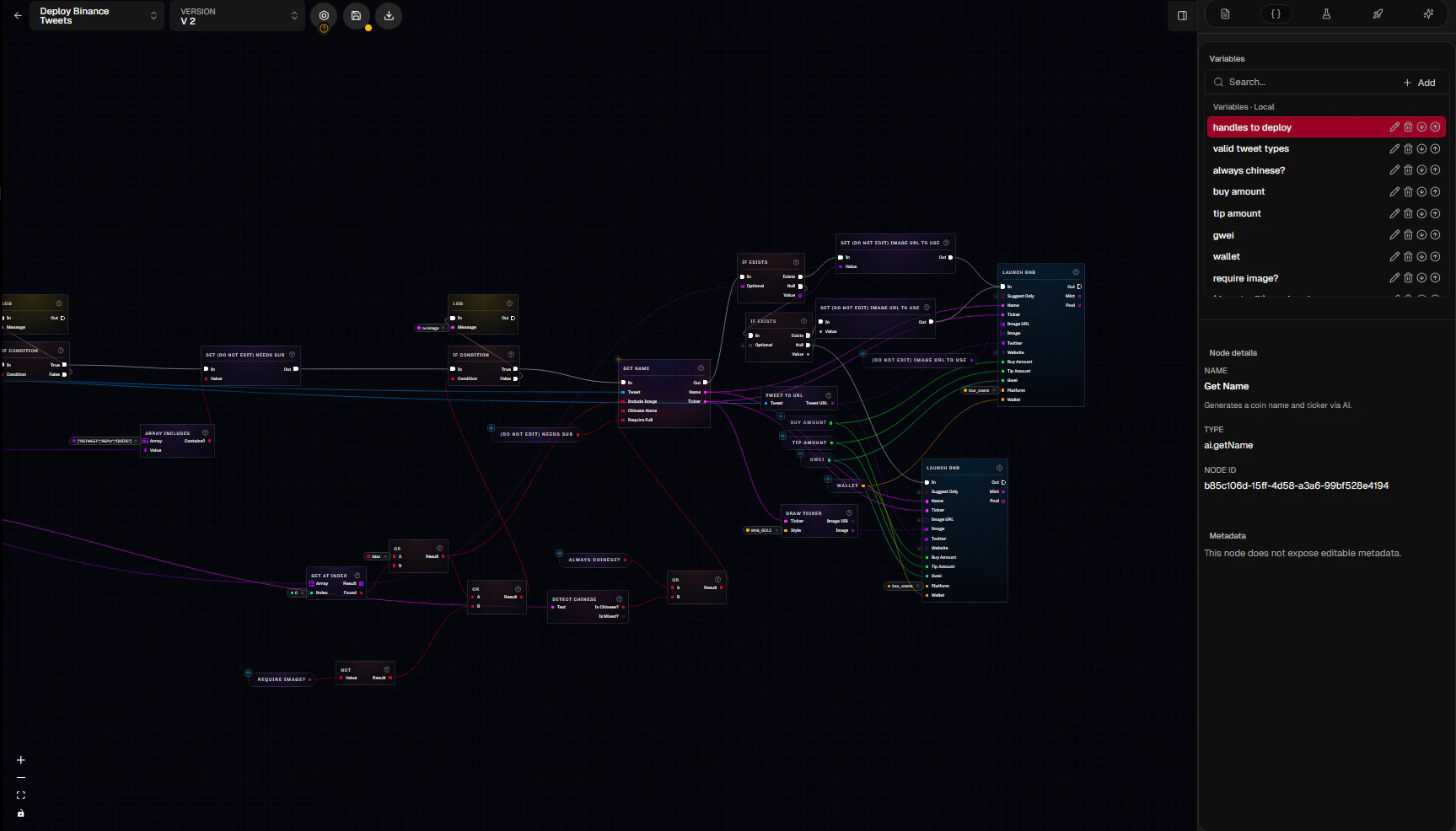
Events start the graph, data connections provide values, and execution connections control action order.
Follow Execution And Data
Scrapist uses two kinds of connections:
Execution connections determine order and branches. Data-only nodes can be evaluated whenever a running node needs their output.
Most automation graphs follow this shape:
- An event starts execution.
- Break or extraction nodes expose useful values from the event.
- Pure data work validates, selects, or transforms those values.
- Logic nodes decide which execution path continues.
- Functions keep each responsibility focused.
- Action nodes emit launches, trades, trace notifications, waits, or other side effects.
Choose One Or More Events
A root event represents the event fixture or live update supplied to the graph. Available event sources include tweets, Truth Social posts, Instagram posts and stories, profile updates, and following updates. A graph can support more than one root event type. Each saved test selects the entry point it supplies. Keep shared behavior in functions when several event paths lead to the same decision or action. See Events for the fields available from each source.Keep Side Effects On Execution Paths
Launching, buying, selling, recording trace notifications, waiting, translation, and custom AI prompts can depend on outside services or cause observable effects. Put them on intentional execution branches. Pure nodes and pure functions should only calculate or transform values. This makes them safe to reuse and simpler to test.Use Functions To Reduce The Main Graph
The main graph should show the overall story: event, eligibility, and major outcomes. Move dense validation, formatting, or launch preparation into named functions.- Use a pure function for data-only work.
- Use an impure function for ordered work or side effects.
- Use a local function for one automation.
- Use an account function when different automations should call it.
Work With Versions
Graphs and functions are versioned resources.- Save writes edits to the selected version.
- New version creates another version you can change independently.
- Function calls keep using their selected function version until you upgrade them.
- An active graph version is locked against editing.
- Published template releases are also locked; template maintainers work in a new draft version.
Compile Before Activation
Compilation checks that the saved graph is structurally valid. Common problems include missing required inputs, incompatible value types, invalid execution flow, or an incomplete function boundary. A canvas change can leave the stored compiled program behind the editor. Save and compile again, then confirm the selected version before deploying it.Activate An Instance
Saving a graph does not make it live. An instance selects an exact graph version and controls whether that version is active. Instances can also apply operational limits such as:- A maximum number of launches.
- A cooldown between launches.
- A credit-spend limit.