Open Mixer
Open Profile > Wallets, then click Mixer. The Mixer page has two tabs: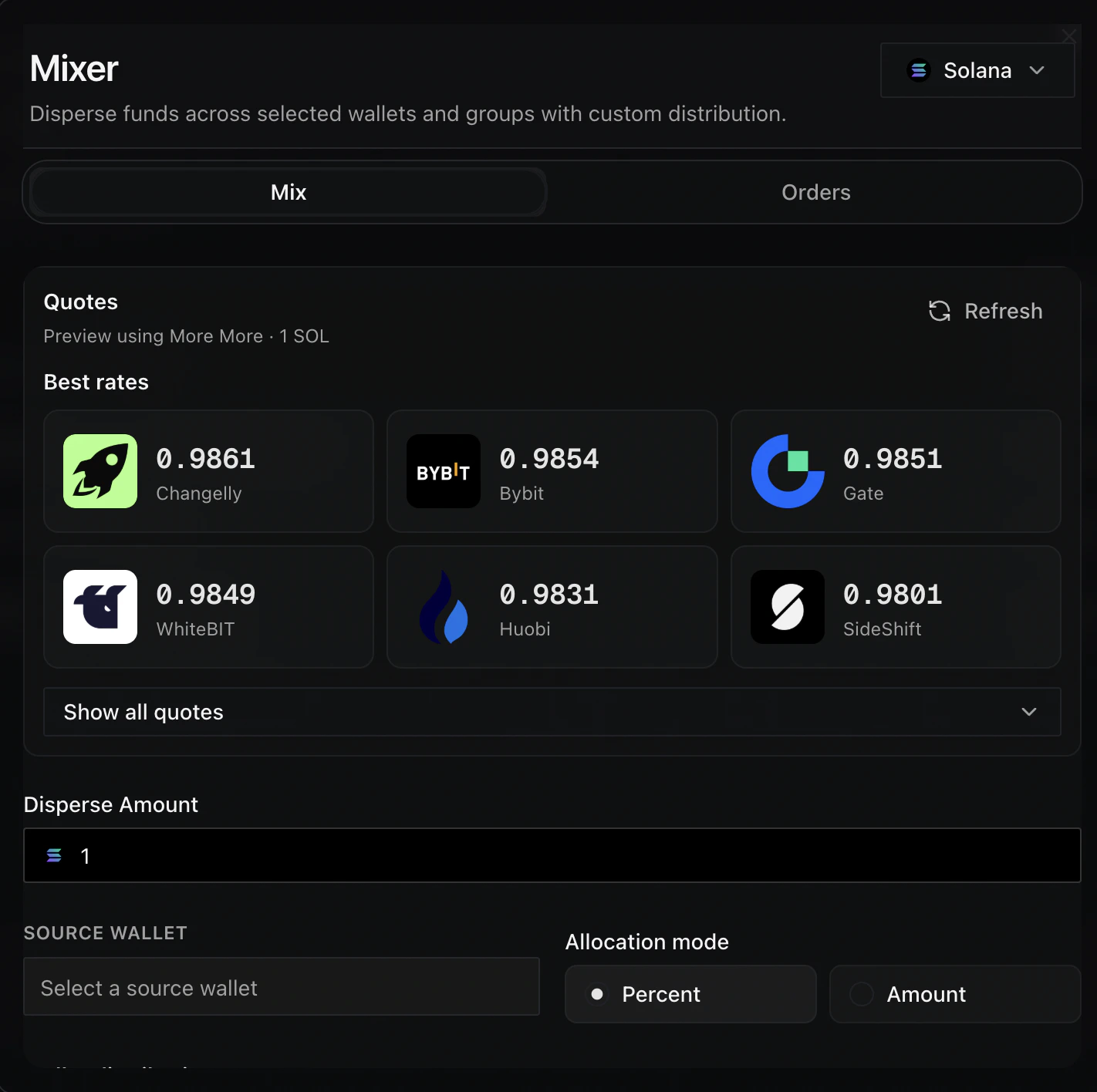
Use the Mix tab to choose a source wallet, select destinations, and review the distribution before sending.
Set Up A Mix
1
Use Solana
Keep the chain selector on Solana before building a new mix.
2
Enter the disperse amount
Add the total amount you want to distribute.
3
Choose a source wallet
Select the wallet that will fund the mix. The source wallet cannot also be selected as a destination.
4
Choose an allocation mode
Select Percent when you want each destination to receive a share of the total amount. Select Amount when you want to enter exact amounts per destination.
5
Select destinations
Choose individual Solana wallets, or expand a Solana wallet group and select wallets inside the group.
6
Review the distribution
Check the assigned and remaining totals. The Mix button stays unavailable until the selected destinations and allocations are valid.
7
Send the mix
Click Mix when the source, destinations, amount, and allocation are correct.
Use Groups
Solana wallet groups appear in the destination list. Expand a group to select individual wallets, or use the group checkbox to select the whole group. Use Group total to assign a total percentage or amount to the selected wallets in that group. Click Split evenly inside the group to divide that group total across the selected group wallets.Track Orders
Open Orders to review mixer activity. Use Refresh to update order statuses, especially while an order is still active. The order table shows the chain, amount, status, order ID, transaction, and completed time when available.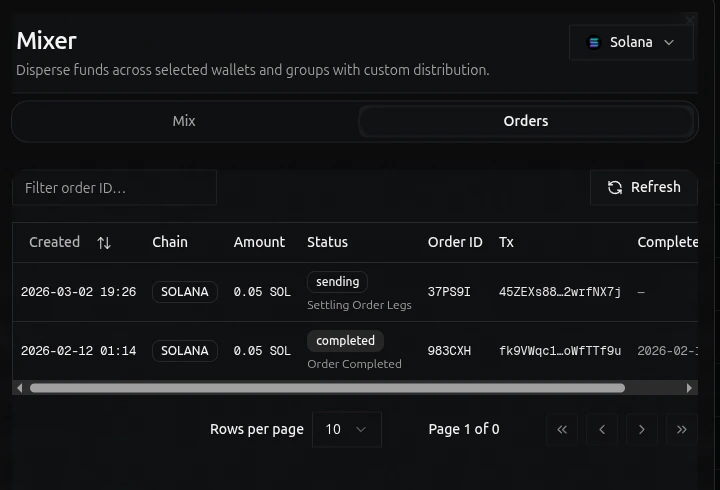
Use the Orders tab to check mixer order status, transaction details, and completion time.