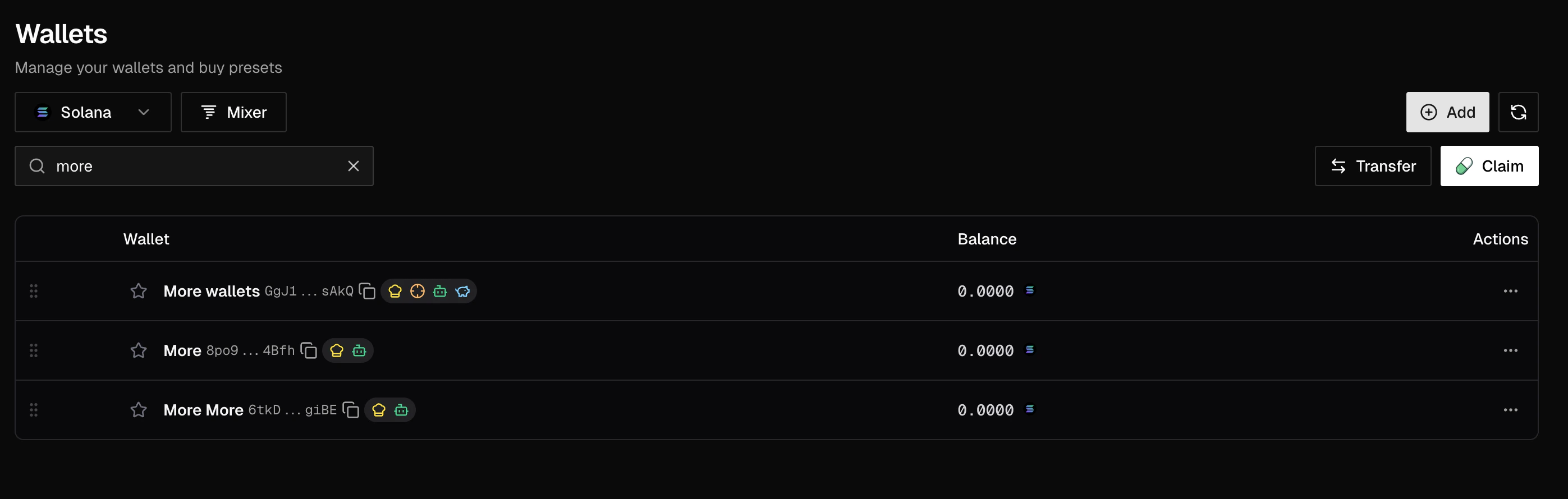
The Wallets page keeps network selection, search, wallet rows, and wallet actions together.
What You Can Do Here
- Create or import Solana wallets for launches and SPL trading.
- Import BNB wallets for BNB Chain and EVM-based launches.
- Search by wallet name, address, or role tags such as Dev, Sniper, Bot, and Funding.
- Move funds with Transfer, or split SOL across a collection with Disperse SOL.
- Exported or generated private keys may only be shown once, so store them securely before closing the dialog.
Open Wallets
Open Profile > Wallets from the top navigation. The network selector at the top of the page changes which wallet list and actions you see.- Solana
- BNB
Use Solana for SOL balances, SPL-token launches, Pump.fun-style workflows, wallet collections, creator fee claims, and SOL-specific tools such as Mixer and Disperse SOL.
Add a Wallet
Click Add to open the wallet dialog.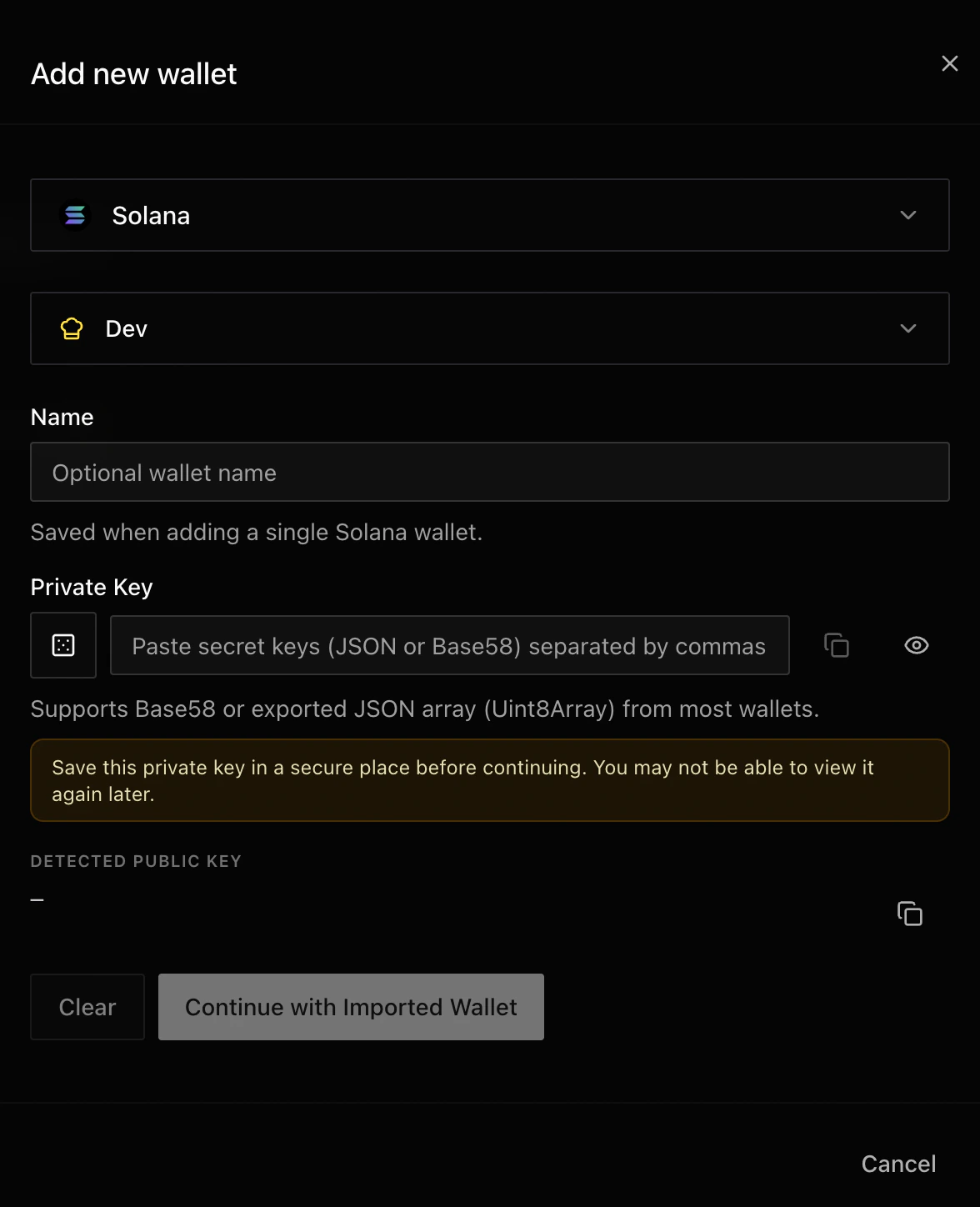
Choose the network before entering or generating wallet details.
1
Choose the network
Select Solana for Solana launches and SPL-token workflows, or BNB (EVM) for BNB Chain and EVM-based launches.
2
Choose wallet tags
Tags describe how you intend to use the wallet. You can combine tags when a wallet has more than one purpose.
3
Generate or import the key
Generate a new Solana wallet, or paste an existing private key for the selected network. LaunchBlitz previews the detected public key or address before you continue.
4
Name the wallet
Add a short, practical name when it helps you identify the wallet later, such as Dev Main, Bundle 1, or Funding Hot.
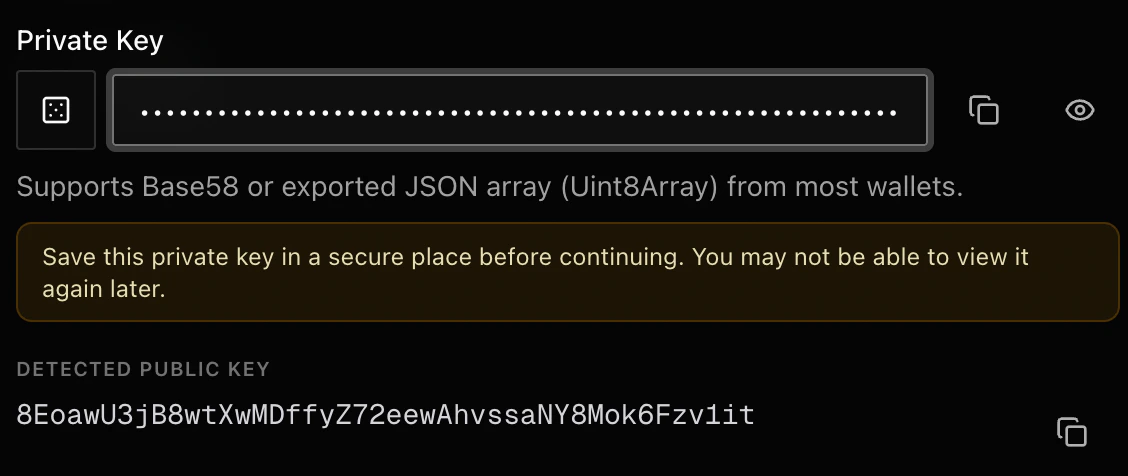
Confirm the detected address before saving a wallet.
Manage Wallets
Wallet rows show the wallet name, tags, balance, address, and available actions. Use the search field to find wallets by name, address, or wallet type. Use Refresh Wallets after funding, transferring, or changing balances elsewhere.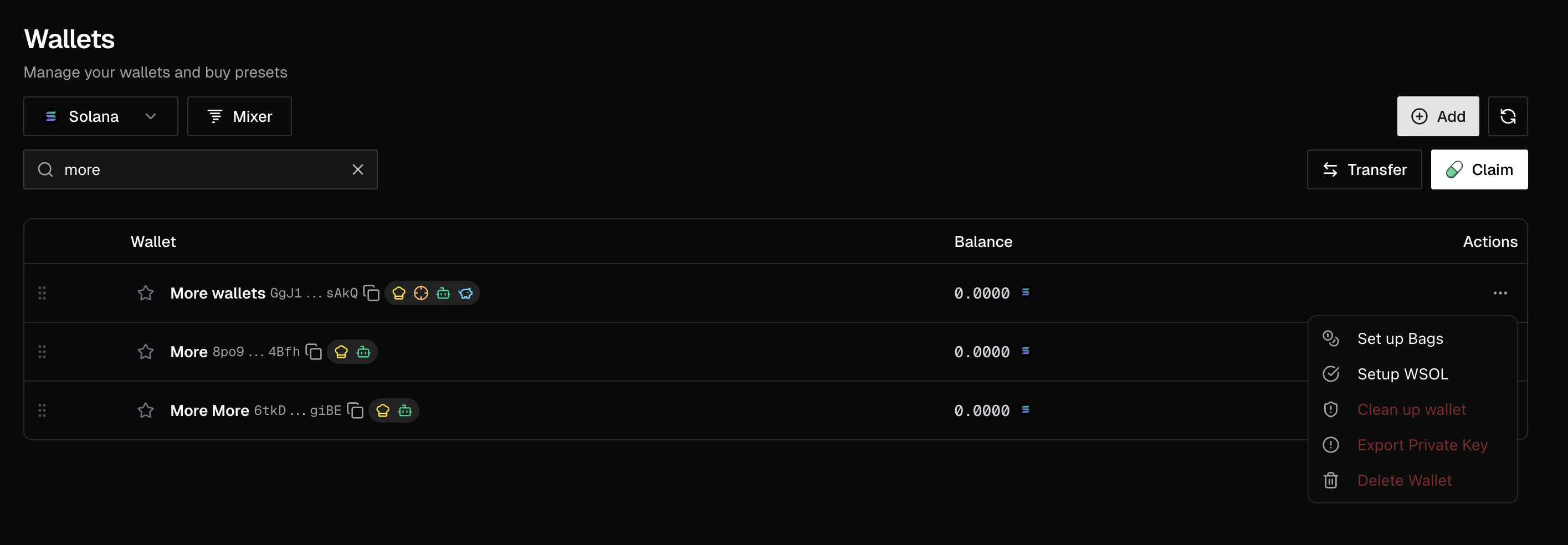
Open the row actions menu for wallet-level tools.
Common row actions
Common row actions
Solana-specific actions
Solana-specific actions
Collection actions
Collection actions
Collections group Solana wallets so you can manage sets together. Use Collections when you want to generate multiple wallets, keep related wallets together, or disperse SOL across a set.Deleting a collection can permanently delete the wallets inside it. Export every private key you need before confirming deletion.
Move Funds
Use Transfer to move the same amount from selected source wallets to selected destination wallets on Solana or BNB. Use Disperse SOL to split one SOL amount evenly across the wallets in a selected Solana collection. Before moving funds, refresh balances and check that the selected source wallets have enough liquidity for the amount and network fees.Mixer
Mixer lets you disperse SOL from one source wallet across selected Solana wallets or groups. Use it when you need custom percent or amount-based distribution from your Wallets workflow.Good Wallet Hygiene
Naming wallets
Naming wallets
Use names that describe the job, not just the chain. Dev Main, Sniper A, Funding Reserve, and BNB Launch are easier to scan than repeated default names.
Before deleting
Before deleting
Export and store private keys first, then confirm the wallet or collection is no longer used by any active workflow, preset, or launch plan.